Mapping-Lists
Mapping-Lists
The Mapping List feature allows users to define how external product data fields align with fields in the PIM system.
Configuration of a mapping list
To create a mapping list :
- Click on the Advanced config section on the left side and navigate to Mapping List section , then click on New to create a new mapping list:
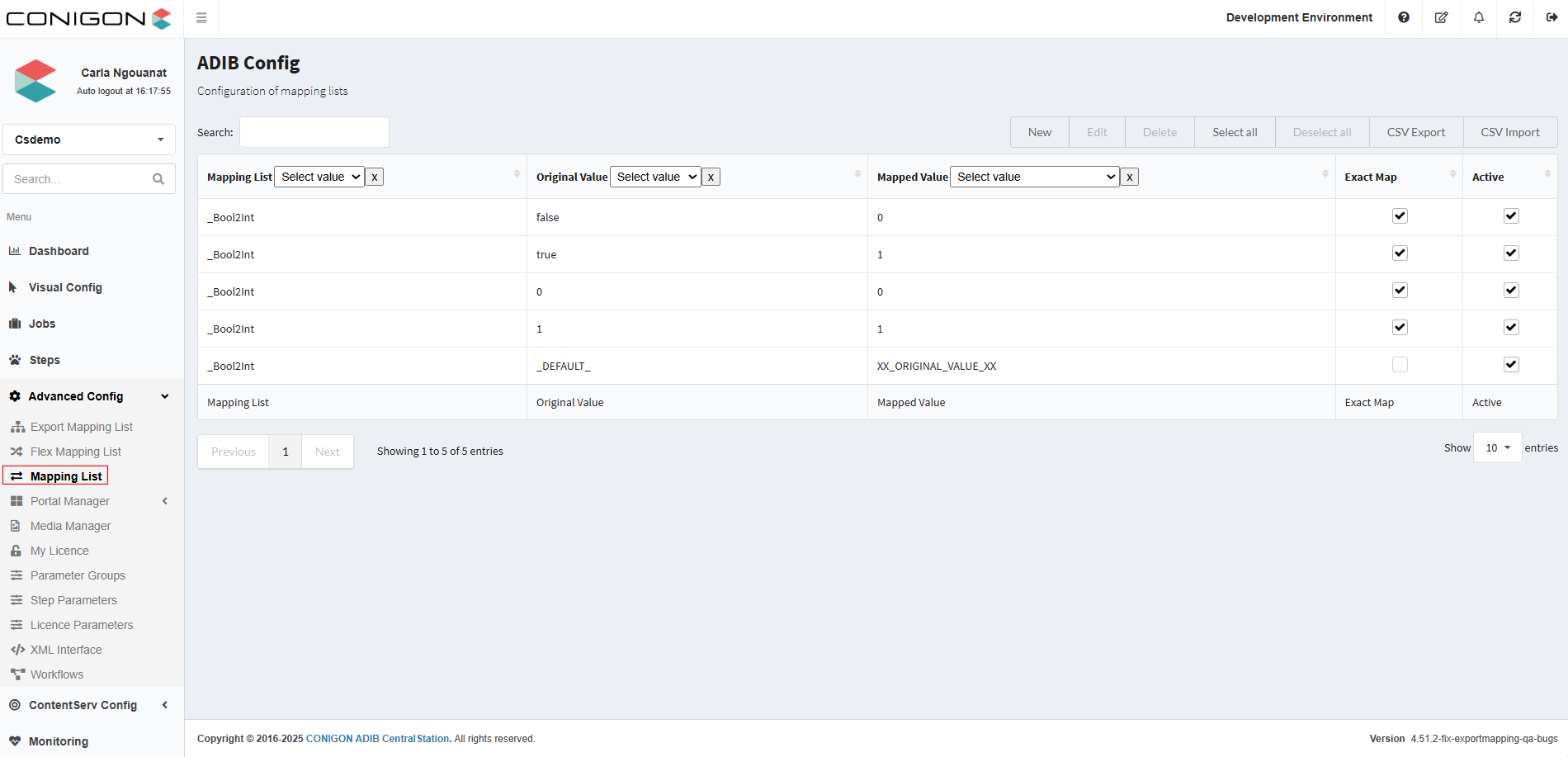
- Then, complete the following fields :
- Mapping ID : automatically created by the system.
- Mapping List : enter the name of the mapping list
- Original Value : source value
- Mapped Value : destination value
- Exact Map : check this box if you want an exact match as the source value
- Active : must be activated
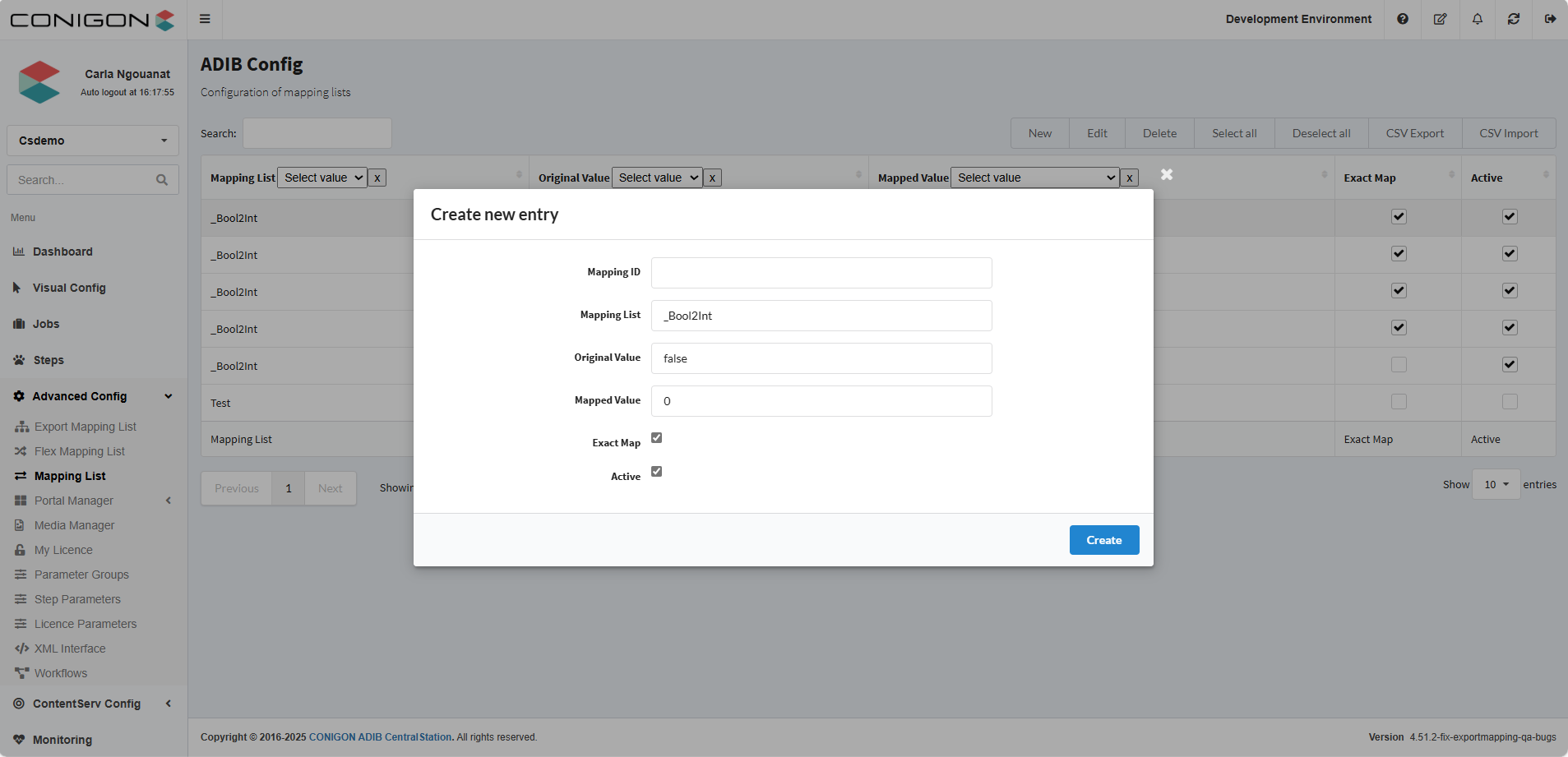
- And click on Create to save the parameters you entered