ADIB CentralStation
ADIB CentralStation
Configuration in the CentralStation
The configuration of ADIB is done in the CentralStation. This is an easy-to-use web application through which all connections between applications and all data flows are configured.
Main purposes of the CentralStation:
- Configuration of data integration tasks
- Configuration of time-based jobs to automate data integration
- Overview of your servers and the jobs that are enabled
- Monitoring of all data integration tasks with detailed information about success or failure
- Creation of your data model for easy integration into different Contentserv instances
- Creation of ADIB portals based on your data
With CentralStation, you manage the following elements, which appear as menu items in the left-hand navigation.You can see them on the following screen after logging into CentralStation: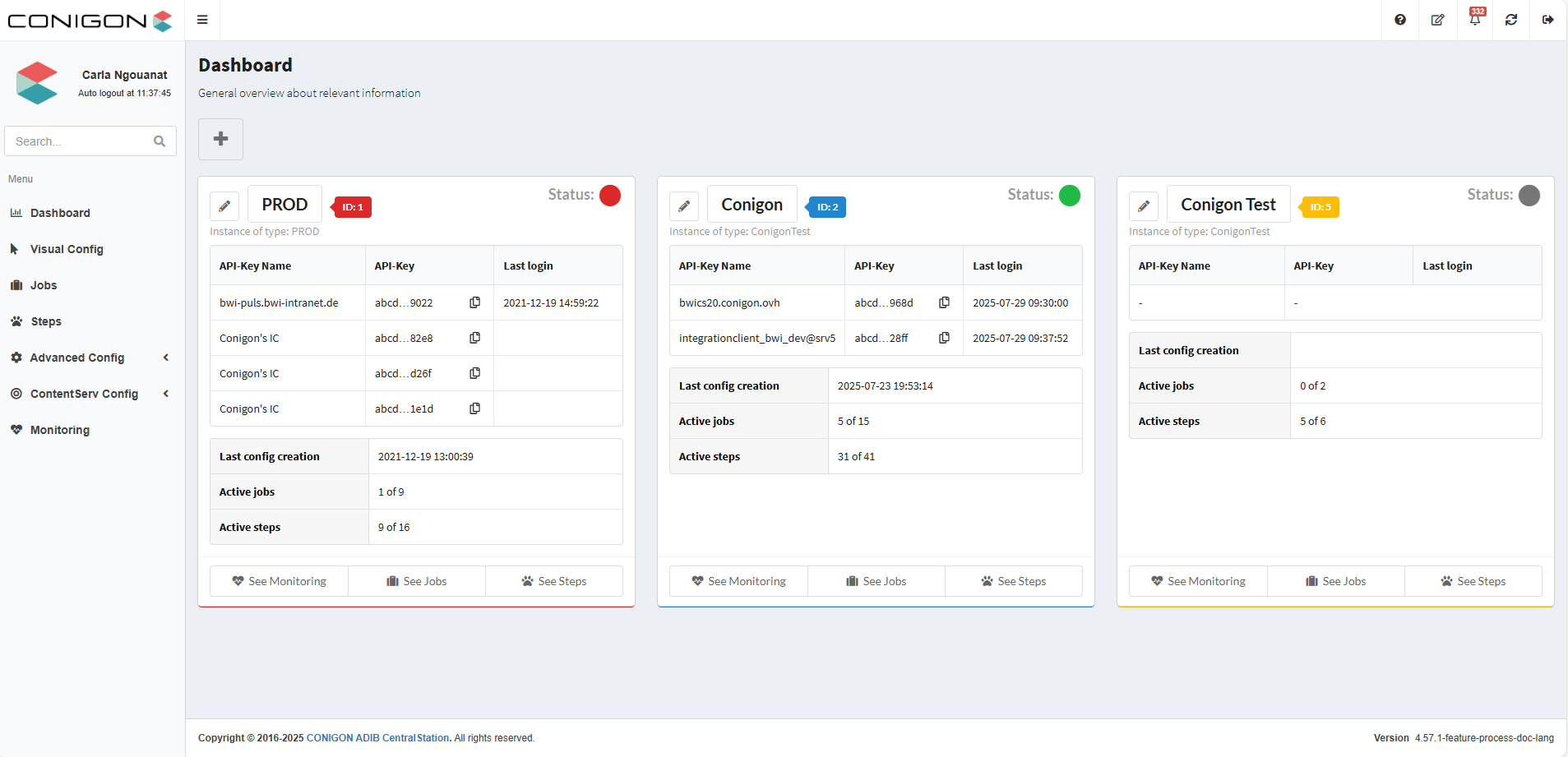
- Dashboard: The dashboard shows the instances that correspond to the servers used for data exchange.
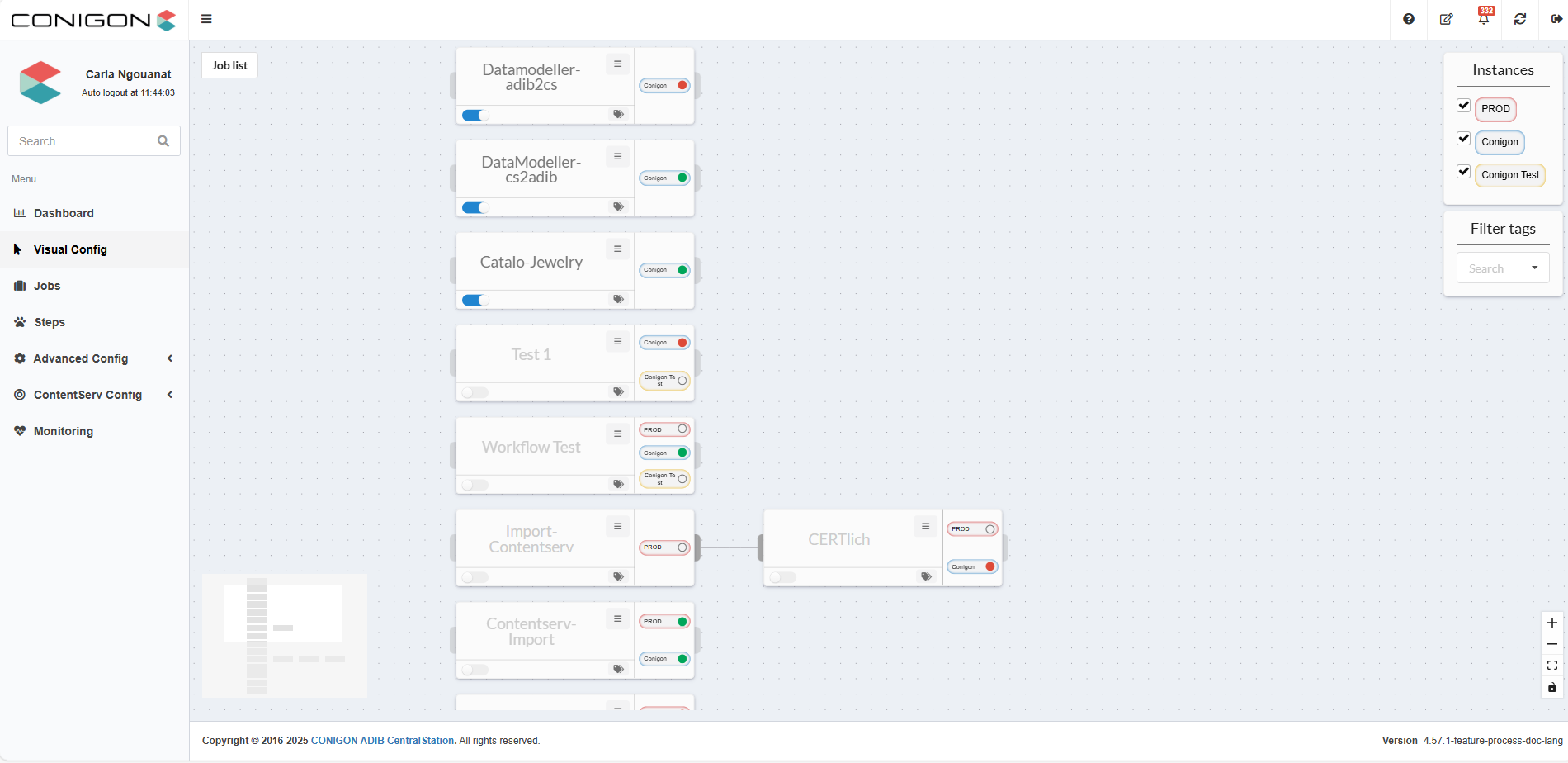
- Visual Config: Graphical view of all jobs in a list format.By double-clicking a job, you can view and analyze its individual steps visually.
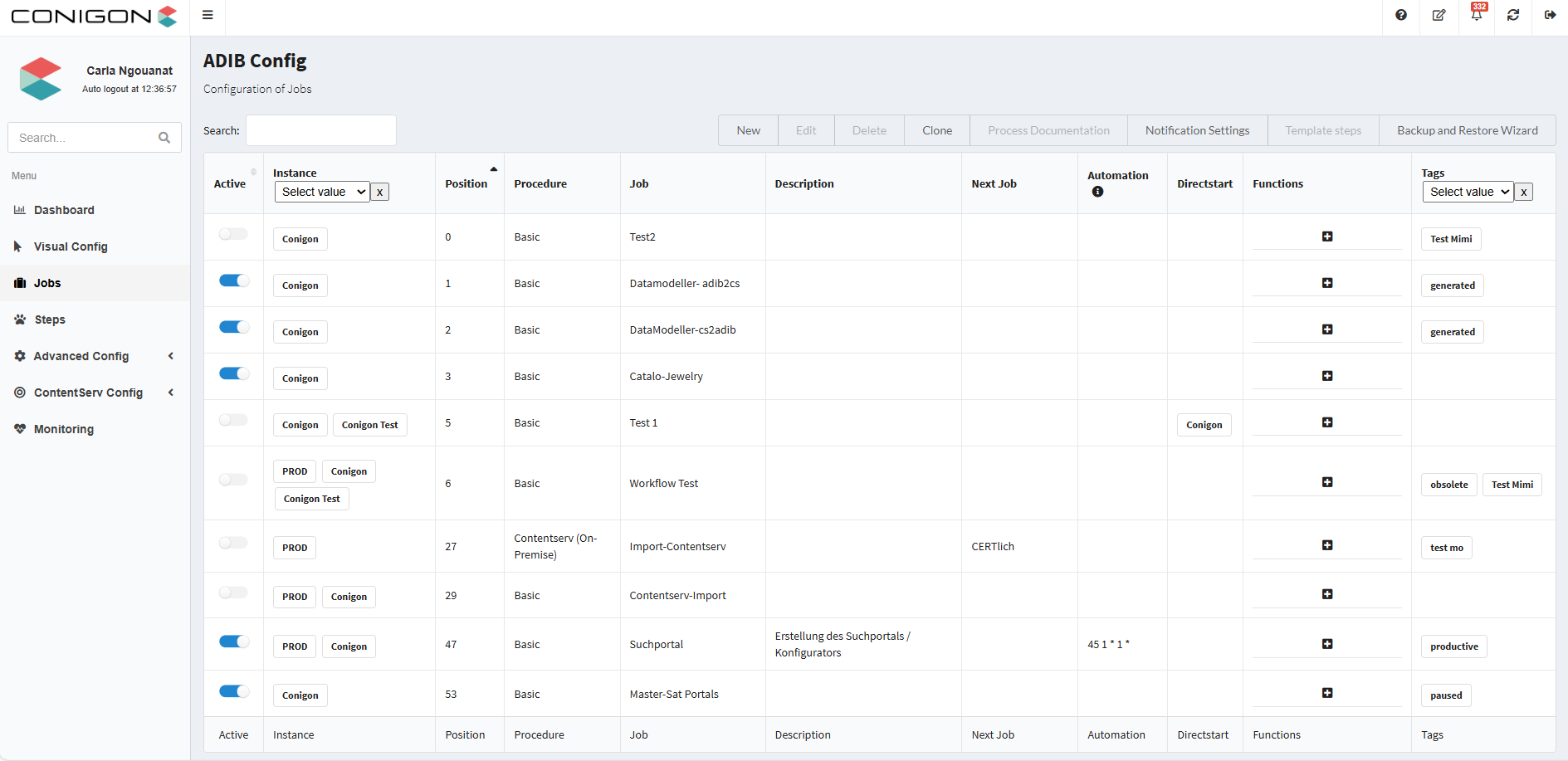
- Jobs: On the following page, you can create and configure the data exchange for your applications.This is comparable to scheduled tasks in Windows or cronjobs in Unix.
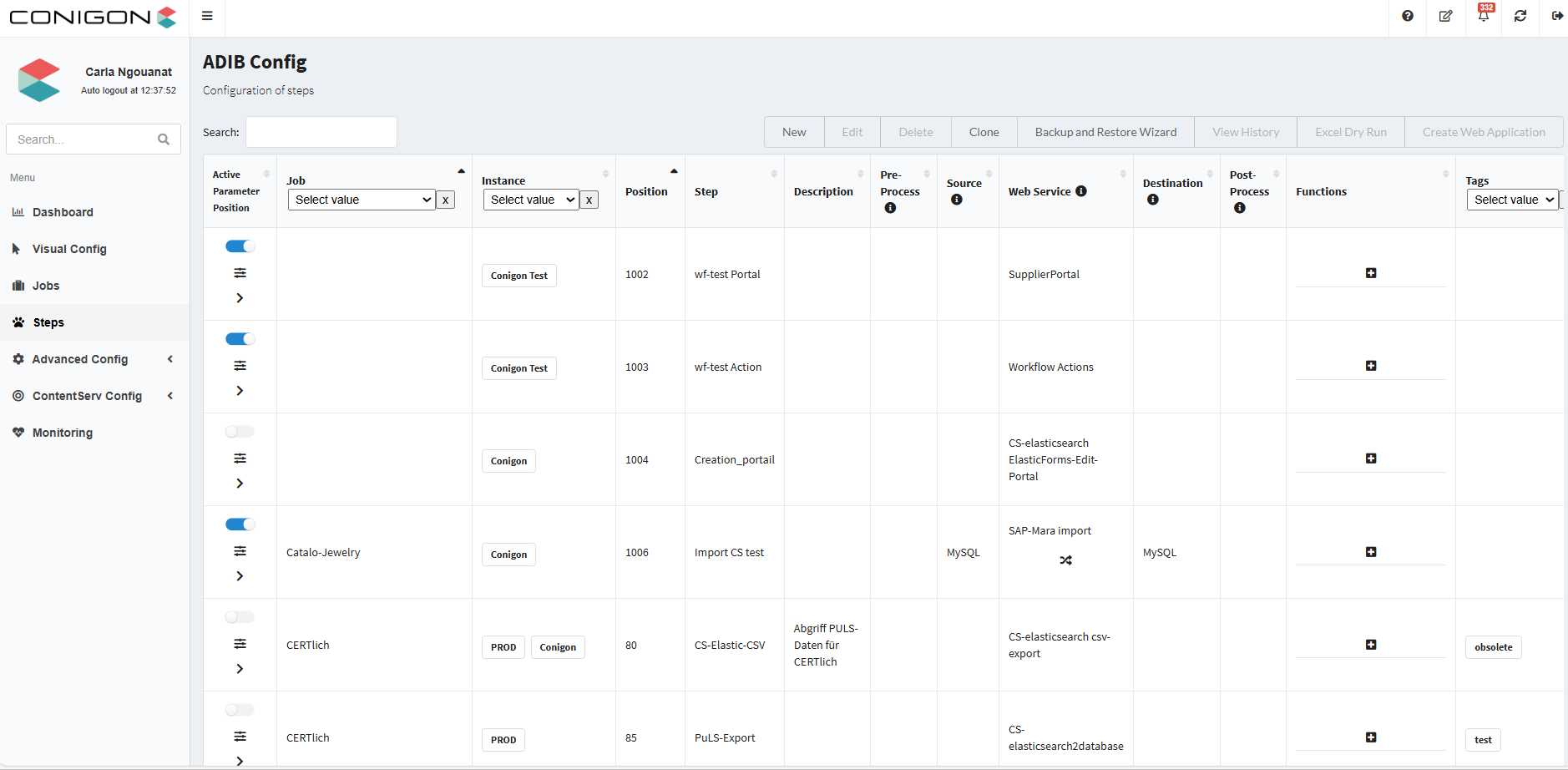
- Steps: These are the actual functions that define the data connections.
- Advanced Config: This section includes the following features:
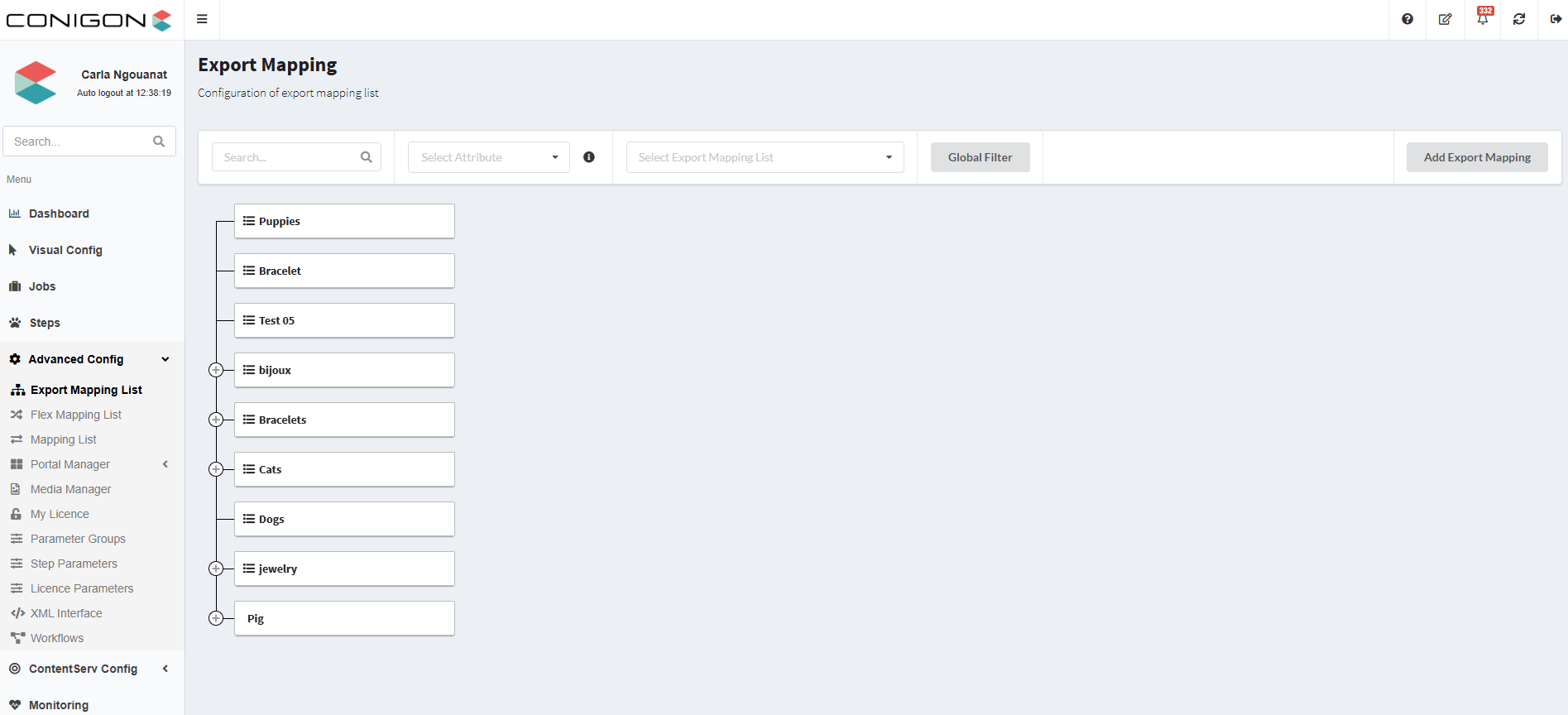
- Export Mapping List, Flexmapping List, and Mapping List: Used to “translate” values or flexibly adapt data structures.
- Portal Manager: Manage and configure ADIB portals for different user groups.
- Media Manager: Manage media files such as images, videos, or documents linked to your data.
- My Licence: Display and manage your license information and restrictions.
- Parameter Groups: Structure and group parameters for better clarity and reusability.
- Step and Licence Parameters: These are settings for data connection functions – they control how data is processed and transferred.
- XML Interface: Configure XML interfaces for importing and exporting structured data.
- Workflows: Define and manage process flows for data processing and approvals.
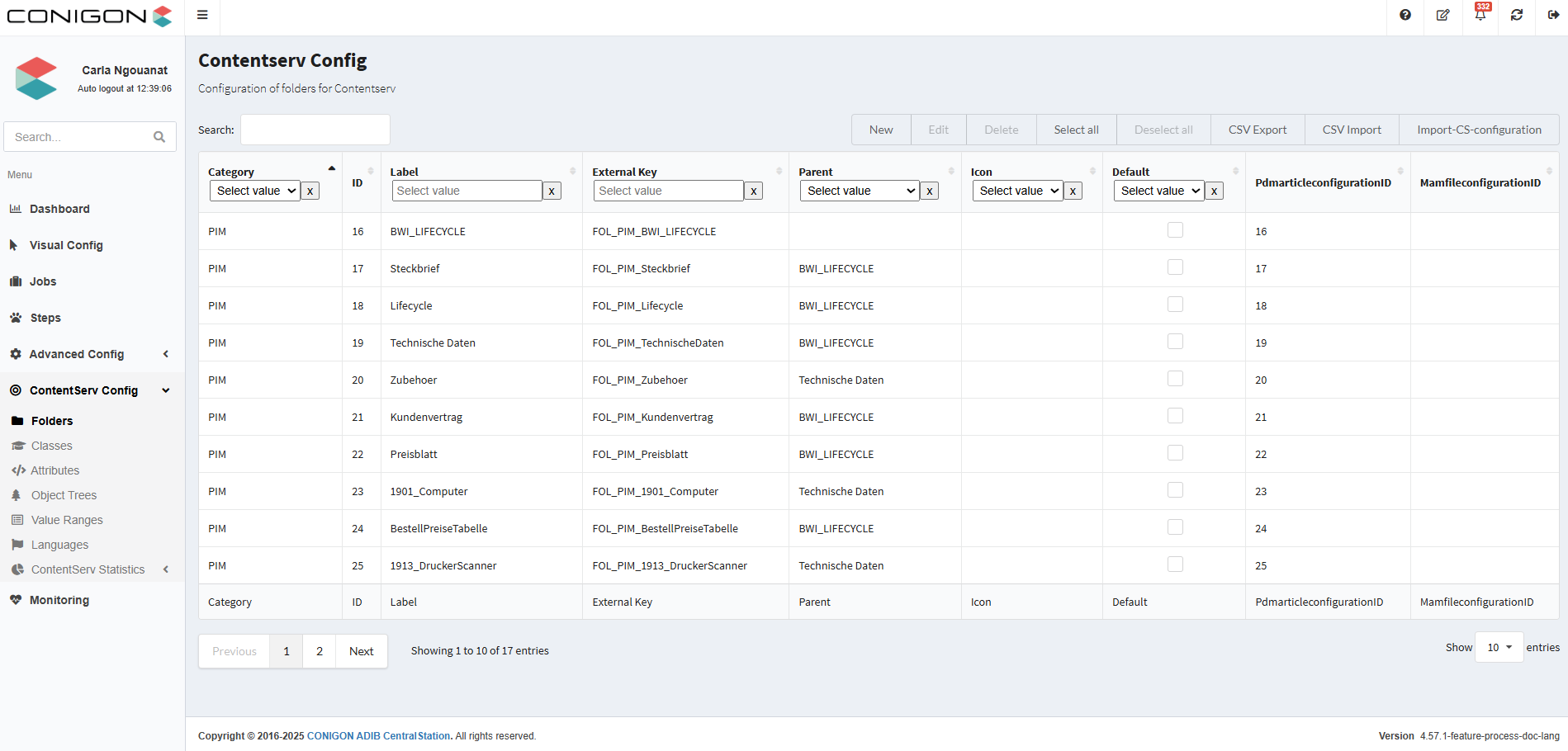
- Contentserv Config: This section includes the following functionalities:
- Folders, Classes, Attributes: Define the data model within Contentserv PIM / DAM – the structure in which your product and media data is organized.
- Object Tree and Value Ranges: Create base data structures and define value lists (e.g., colors, sizes, categories).
- Languages: Configure the languages available in the Contentserv system – this controls which languages can be used for content and UI.
- Contentserv Statistics: Displays a structured overview of the data model:Folders and their attributes, classes with assigned attributes,register tabs and sections with the number of attributes, and a full list of all attributes with relevant information.
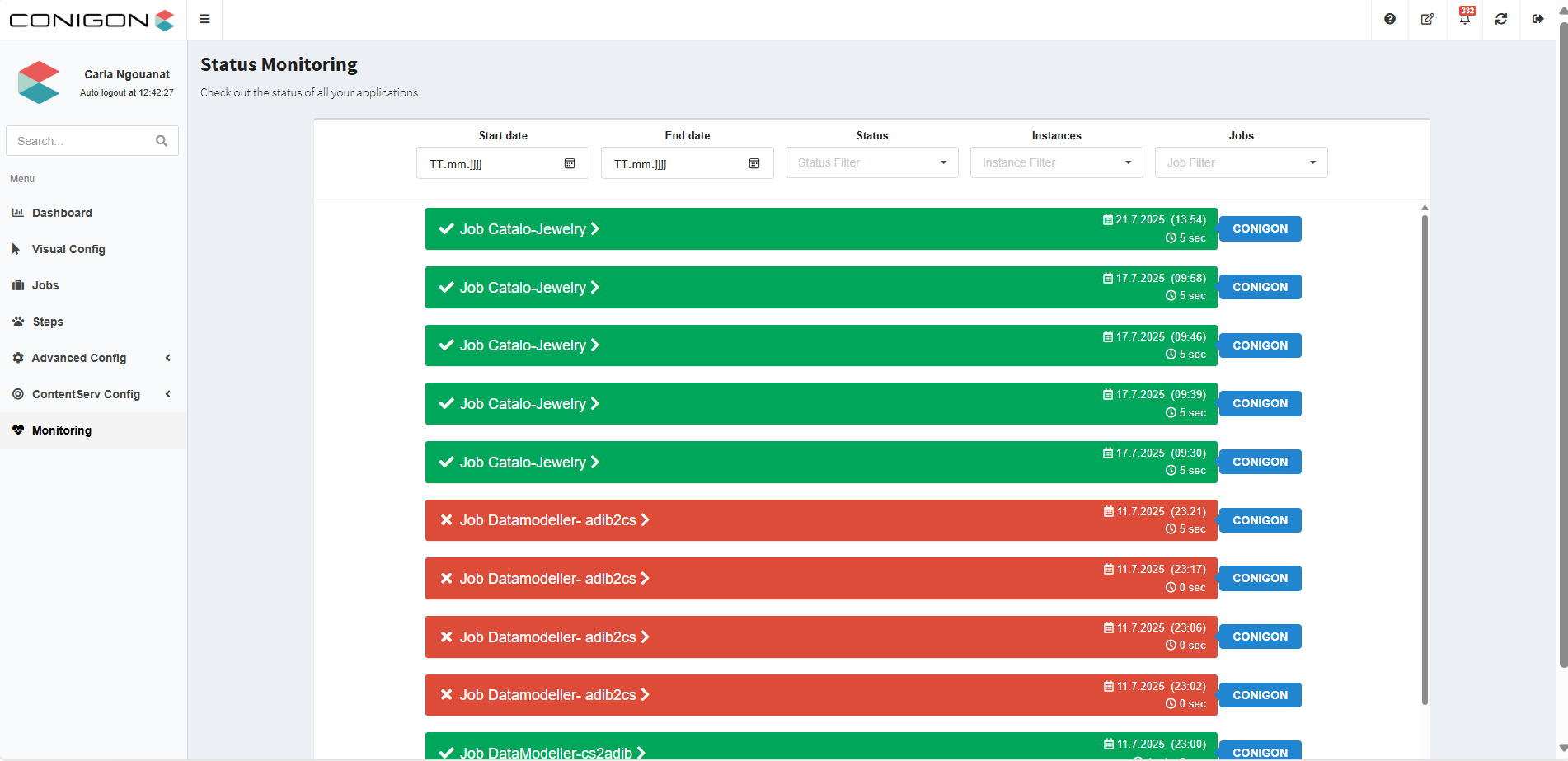
- Monitoring: Detailed list of all integration jobs, with comprehensive information to help you monitor your processes.
- Job Name: Corresponds to a scheduled task in Windows or a cronjob in Unix.
- Execution Time: Displays the date, time, and duration of each job execution.
- Success or Failure: Green indicates success, red indicates failure – allowing you to quickly assess job status.
- Instance on which the job was executed: Indicates which of your integration servers ran the job.→ In the screenshot, all jobs were executed on the "CONIGON" instance.
More Information
Details on how to configure steps and jobs – and how to analyze the monitoring – can be found here:{{#configuration-jobs-steps}}
Expandability
ADIB offers a wide range of modules for different types of data integration:
- Files (Excel or CSV)
- Databases (MS-SQL, MySQL, MariaDB, SQLite, …)
- Webservices
- Data Transfer (FTP, SFTP, Web API, Email)
- Data Integration with ElasticSearch, Solr, …
And if that’s not enough, you can easily add your own functions– based on shell scripting, Ruby, PHP, Java, etc. –which can be seamlessly integrated into ADIB and executed on your instance.
**The advantage:**You get full transparency on the success of your custom functions and can automate them with ADIB CentralStation!